Photo → line art · free converter
Picture to Line Drawing (Free Online Tool)
Turn any photograph into a clean black-and-white line drawing in seconds. Upload an image, let the converter trace the real edges, and download a PNG you can print, color or trace — no account, no watermark and nothing to install. This is the fast way to convert an image to line drawing without wrestling with desktop photo software.
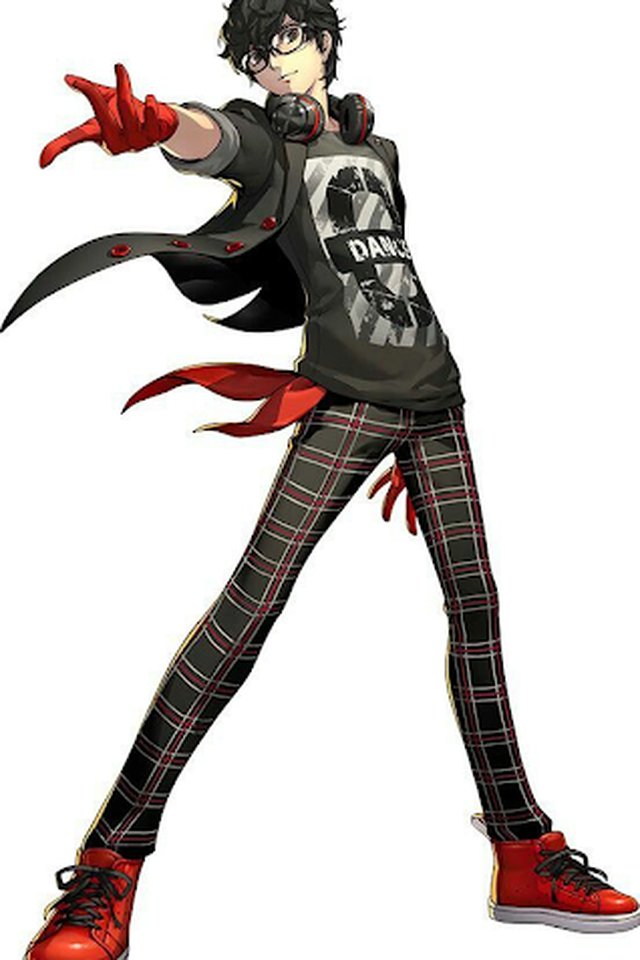 Original
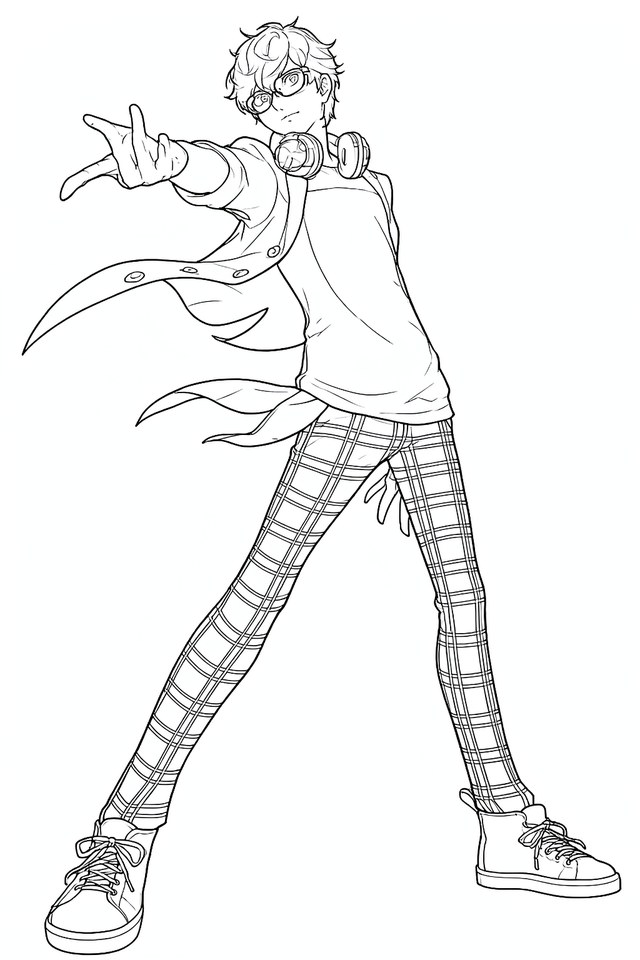 Line art
A sample of the conversion this tool performs: the photo on the left becomes the black-and-white line art on the right. Your own upload runs live in the converter below.
Images are sent to a line-art model for conversion and are not stored after the result is delivered. No account is required.
- Free, no sign-up — no email, no credit card and no trial countdown.
- No watermark — the PNG you download is yours, clean and print-ready.
- Not stored — images are processed, not kept or attached to an account.
How it works
- 01
Upload your photo
Drag a JPG, PNG or WebP image onto the tool, or browse your device. Files up to 10 MB are accepted; large images are scaled down before sending.
- 02
Convert to line art
The image is sent to a line-art model that traces the real edges in the photograph and drops the shading, colour and background noise.
- 03
Preview and download
Check the black-and-white result next to the original, then download it as a PNG. No watermark is added and nothing is attached to your name.
What this line art converter actually does
A photograph is a grid of colored pixels; a line drawing is a set of edges. When you turn a photo to line drawing, the converter finds the places where tone changes sharply — the rim of a face, the frame of a window, the outline of a leaf — and keeps those boundaries while throwing away gradients, skin tones, lens blur and background color.
That is different from simply applying a black-and-white or sketch filter. A filter remaps every pixel and keeps the photographic noise; a dedicated line-art model decides which edges carry the shape of the subject, then renders them as continuous strokes on a white field. The result behaves like a hand-drawn outline: closed shapes, flat color, ready to fill.
People use this same page to convert photos to line sketches for coloring books, tattoo references, classroom worksheets, wall-mural projections and pencil practice underlays. Because the output is an ordinary PNG, it opens in any browser, document editor or print dialog without special software.
What the conversion keeps and drops
A good line drawing keeps the edges your eye actually follows and drops the rest: gradients, skin tones, lens blur and busy backgrounds. The pairs below show the four input types that convert most cleanly.
Illustrative placeholders shown while the conversion model is being connected. They demonstrate the layout, not model output; real before/after renders replace these before launch.
What people use line drawings for
Coloring pages
Turn a family photo, a pet portrait or a holiday snapshot into bold outlines a child can fill with crayons or markers. Closed, clean shapes color far better than a filtered photograph.
Tattoo stencils
Bring a reference idea to an artist as a black-and-white outline instead of a busy photo. A line drawing separates the shapes that survive as ink from the lighting that does not.
Sketching practice
Use the converted line art as an under-drawing guide for pencil or ink work, or study where the model placed edges to train your own eye for contour and proportion.
Wall murals and crafts
Project or trace the outlines onto a wall, canvas, T-shirt or pumpkin. One flat-color line layer scales cleanly and reads from much farther away than a grayscale print.
Four ways to get cleaner lines
- 01
Start with contrast
A subject that is clearly lighter or darker than its background gives the model an unambiguous edge to trace. Backlit silhouettes and product shots on plain backgrounds are the easiest cases.
- 02
Keep the focus sharp
Motion blur and soft lenses erase the exact boundary the converter needs. Use the sharpest frame you have and avoid heavy portrait-mode smoothing.
- 03
Simplify busy backgrounds
Leaves, crowds and patterned fabric create as many edges as the subject. Cropping closer or using a plainer background before upload produces a far cleaner outline.
- 04
Resize with intention
Images are capped at 2048 pixels on the long edge. If you need a mural-scale print, generate from the highest-resolution original you have and upscale the black-and-white output afterwards, where scaling artifacts are nearly invisible.
Questions people actually ask
- Is this picture to line drawing converter free?
- Yes. Every conversion on this page is free, with no trial period and no credit card step. You can convert as many photos as you need and download each result as a PNG without a watermark.
- Do I need to create an account or sign up?
- No. There is no registration, no email field and no password. Open the page, upload an image and download the line drawing. The tool is built to work on the first visit.
- Are my photos stored on your servers?
- Your image is sent to an image model to produce the line art, but it is not written to persistent storage and is not attached to an account, because there are no accounts. Once the conversion finishes, the source image is not retained. If a photo is sensitive, check the privacy policy of any service before uploading it anywhere online.
- What image formats can I upload?
- JPG, PNG and WebP files up to 10 MB are accepted. Very large images are scaled down to a maximum edge of 2048 pixels before sending, which keeps the conversion fast and is more than enough detail for a black-and-white line drawing.
- Can I use the output for coloring pages or commercial projects?
- You own the rights to the images you upload, and the converted PNG is yours to print, trace or edit. For commercial work, make sure you own or license the original photo; the converter does not add rights you did not already have.
- Why do some photos convert better than others?
- Line art is built from edges, so photos with strong contrast, simple backgrounds and sharp focus convert cleanest. Soft focus, heavy shadows, busy textures and low light all blur the boundary between the subject and the background, which produces broken or noisy lines.